Behind the Whiteboard: How We Planned, Prepped, and Executed the CFTC Halfrox Event
Hosting a high-energy fitness event like our CFTC Halfrox Time Trial is one of the best ways to bring our community together. But behind every smooth Saturday morning where heats run on time, equipment flows seamlessly, and athletes push their limits, there’s a massive amount of behind-the-scenes coordination.
When you have 14 athletes taking on 8 outdoor running loops and 8 heavy station workouts within a fixed gym footprint, every square foot of floor space and every minute of heat transition counts.
To make sure the event ran flawlessly, we co-piloted the planning process with Gemini AI—using it as a virtual project assistant to map out equipment spacing, streamline coach workflows, manage athlete communications, and even build an interactive online leaderboard.
Here is a look under the hood at how we built, prepped, and executed the CFTC Halfrox event from start to finish.
Event Pipeline: Visual Workflow
Here is how we moved from initial event concepts and registration constraints to finished assets on race day:
CFTC Event Execution Pipeline
From Floor Layout & Swag Prep to Real-Time Web Results
Layout & Gear Optimization
Setup: 14 athletes, 4 rowers, 1 SkiErg, indoor/outdoor transitions.
Action: Moved lunges & carries outside; picked up an extra sled via Facebook Marketplace to eliminate heat delays.
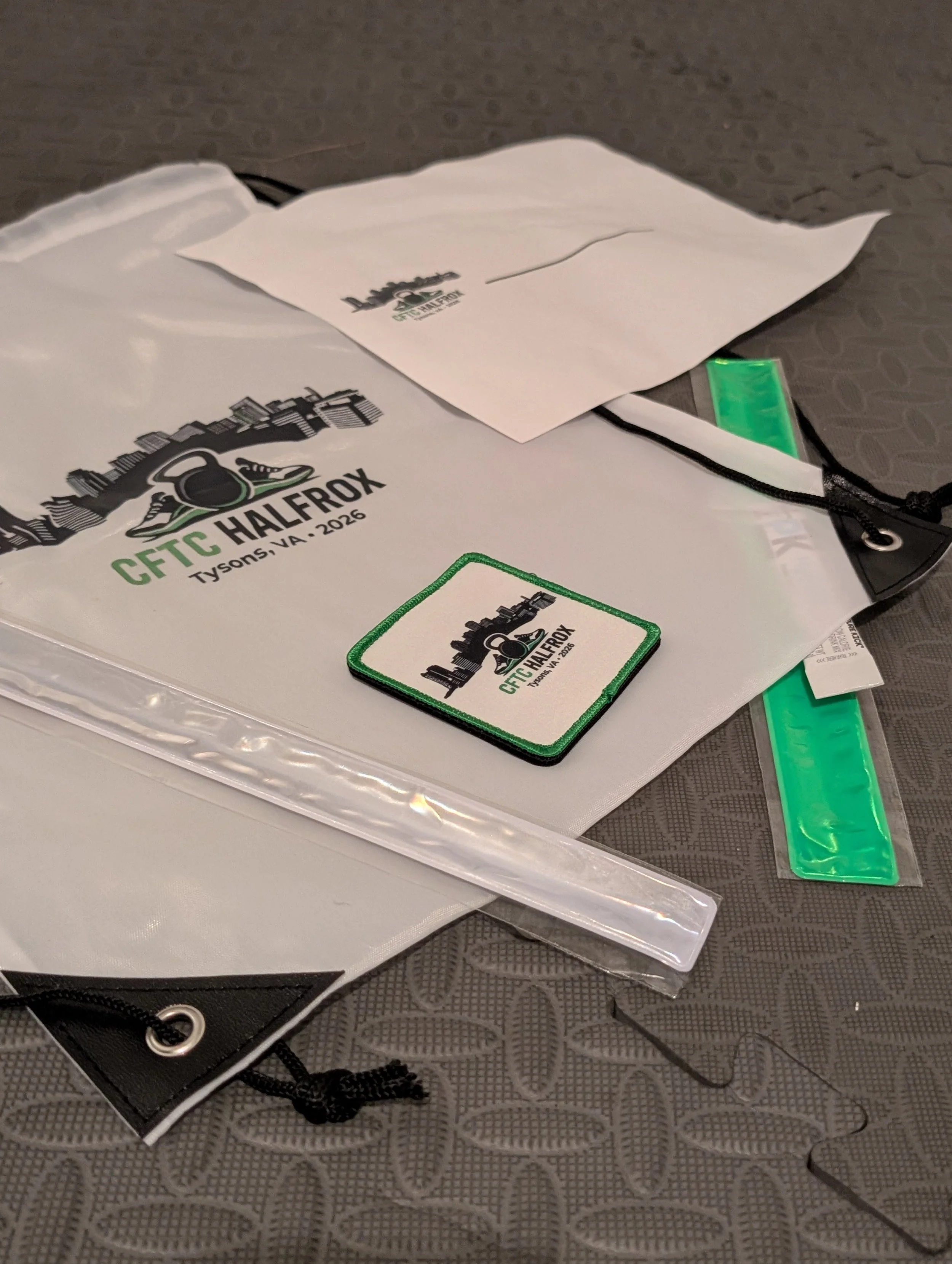
Athlete Welcome Gear
Setup: Premium gear to celebrate athlete effort.
Action: Custom drawstring bags sourced from Amazon + custom woven CFTC HALFROX patches manufactured by Ninja Patches.
Multi-Platform Task Lists
Setup: Seamless coordination for coaches on event morning.
Action: Synced master lists to Google Keep (mobile checkboxes), Google Sheets (logistics), and printable 1-page paper scorecards.
Tailored Communications
Setup: Clear participant instructions & community engagement.
Action: Staggered heat briefing emails, spectator invitation windows, 10 AM community workout, and event photography recruiting.
Digital Results Leaderboard
Setup: Fast, accessible split times for participants.
Action: AI OCR scorecard reading directly embedded into an interactive HTML/JS leaderboard on the CFTC website.
. Floor Space, Equipment Math, and the Sled Pivot
When designing an event layout, traffic congestion is the enemy of a great athlete experience. With 14 athletes starting in 5-minute heat windows, we needed to make sure nobody was left waiting for an erg or stuck waiting for a sled lane.
Using Gemini, we modeled athlete movement across our indoor footprint (1 SkiErg, 4 Rowers, burpee track) and outdoor running lanes.
The Event Planning Prompt:
"We have 14 athletes registered for our Halfrox event with 3 heat briefing groups. Floor space is tight inside. Calculate layout risks if we run 4 rowers, 1 SkiErg, sled push/pull, sandbag lunges, and farmer’s carry simultaneously. Should lunges move outside?"
Operational Adjustments Made:
Moving Movements Outdoors: We shifted both the sandbag lunges and farmer's carries outside parallel to the outdoor run track. This kept the main floor open for transitions between rowers and the SkiErg.
The Facebook Marketplace Pivot: Seeing our final sign-up numbers, we realized running two sled lanes off our existing gear would create an outdoor bottleneck. We hopped on Facebook Marketplace, sourced an extra sled, and doubled our outdoor push/pull capacity so athletes never lost momentum.
2. Swag Procurement & Coach Workflow Sync
A great event isn't just about the workout—it’s about the experience from check-in to finish line.
Welcome Bag Setup
Every participant received a custom welcome kit at check-in:
Custom Drawstring Bags: Sourced via Amazon for quick turnaround.
CFTC HALFROX Patches: Custom woven patches manufactured through Ninja Patches for athletes to display on their gear.
Multi-Tool Coaching Checklists
To keep our coaching staff synced on race morning without fumbling through giant documents, we used AI to export our master setup list into three dedicated tools:
Google Sheets: Comprehensive tracking for gear lists, timing, and setup tasks.
Google Keep: Quick, mobile-friendly checklists on coaches' phones for fast walkthroughs before doors opened.
Google Docs: A strict, single-page Athlete Scorecard designed for clipboards, allowing judges to record station finishes and split times effortlessly.
3. Athlete Briefings & Member Community Hype
Clear communication keeps athletes relaxed and focused on performance. We split our event messaging into two clear channels:
For Competing Athletes
We sent direct pre-race emails detailing:
Mandatory briefing groups (8:20 AM, 8:45 AM, 9:15 AM) to explain movement standards and run routes.
Welcome bag pickup procedures and scorecard routing.
Outdoor gear recommendations and warm-up zone locations (to the left of the main entrance).
For Gym Members & Spectators
We invited the broader CFTC community to get involved:
Spectator Window (9:00 AM – 10:00 AM): Members came in to bring the noise and cheer on the final heats.
Free Community Workout (10:00 AM – 10:30 AM): A 30-minute workout open to everyone right after the final athlete crossed the line.
Event Photography: Recruited a gym member photographer for CFTC membership credit to capture high-res action shots on the floor.
4. Post-Event Data & Web Leaderboard Embed
After the last wall ball was dropped, athletes wanted to see their split times. Instead of manually typing 160 individual station times into a spreadsheet, we uploaded scanned PDF scorecards straight into Gemini to parse the data using OCR.
Split Extraction: Extracted cumulative finish times and split times for all 10 completed scorecards.
Handling Varied Sequence: For athletes who completed stations out of order or had unrecorded station times, the system marked missing cumulative fields as - while preserving valid split times. Subdued gray badges (Out of Order / Station Unrecorded) were applied for clarity.
Website Integration: Gemini generated a custom HTML/JS code block featuring a summary dashboard (Fastest Finish: 35:27, Average Field Time: 46:44), instant athlete search, station filters, and expandable split rows, embedded directly into our Squarespace site.
🛠️ The Gym Owner's Event Planning AI Prompt Kit
If you're a coach or gym owner planning an upcoming competition, in-house trial, or community workout, here are four copy-paste prompts you can use to streamline your operations:
1. Equipment & Heat Density Planner
Plaintext
I am planning a functional fitness event for [NUMBER] athletes at my gym.
Available equipment: [LIST EQUIPMENT].
Floor dimensions/limitations: [DESCRIBE SPACE].
Please analyze potential athlete bottlenecks, calculate required heat staggering times, and recommend which stations should be moved outdoors or rearranged to keep indoor transitions safe and clear.
2. Multi-Platform Setup Checklist Generator
Plaintext
Generate a comprehensive pre-event checklist for a fitness event occurring on [DATE].
Categories needed: Admin & Print Prep, Equipment & Layout, Logistics & Hospitality, and Judging Standards.
Format the output as a structured table with Category, Task Name, Status, and Operational Notes.
3. Participant Pre-Event Logistics Email
Plaintext
Draft a concise, tone-appropriate email for event participants.
Include the following key details:
- Staggered briefing times: [TIMES]
- Welcome bag pickup details upon arrival
- Gear requirements for outdoor stations
- Hydration setup and designated warm-up zones
Keep the tone professional, encouraging, and clear. Avoid excessive emojis or hype language.
4. Interactive Leaderboard HTML Code Generator
Plaintext
Convert the following event results dataset into a self-contained HTML/CSS/JS code snippet suitable for embedding into a website code block:
[PASTE RESULTS DATA / SPLITS]
Requirements:
- Dark theme matching [BRAND COLORS]
- Top summary dashboard with Key Performance Indicators (Fastest Time, Average Time, Participant Count)
- Interactive athlete search bar and station filter dropdown
- Expandable rows that reveal individual station split times when clicked